How To Track RIR In Hevy and A Better Alternative
RIR, short for Reps in Reserve, is a way to measure effort or intensity of an exercise. As the name suggests, you simply denote how many more repetitions you could have performed with good form. It was popularized by the science lifting community as a more apt measurement for hypertrophy.
Instead of guessing arbitrary effort levels, RIR asks a simple question: "How many more clean reps could you have done before failure?"
If you use Hevy to log your workouts, you’ve probably noticed a major feature missing: there is no native way to track RIR in Hevy.
Here is how to work around Hevy's limitation and a better alternative built for lifters who prefer RIR.
How to Track RIR in Hevy
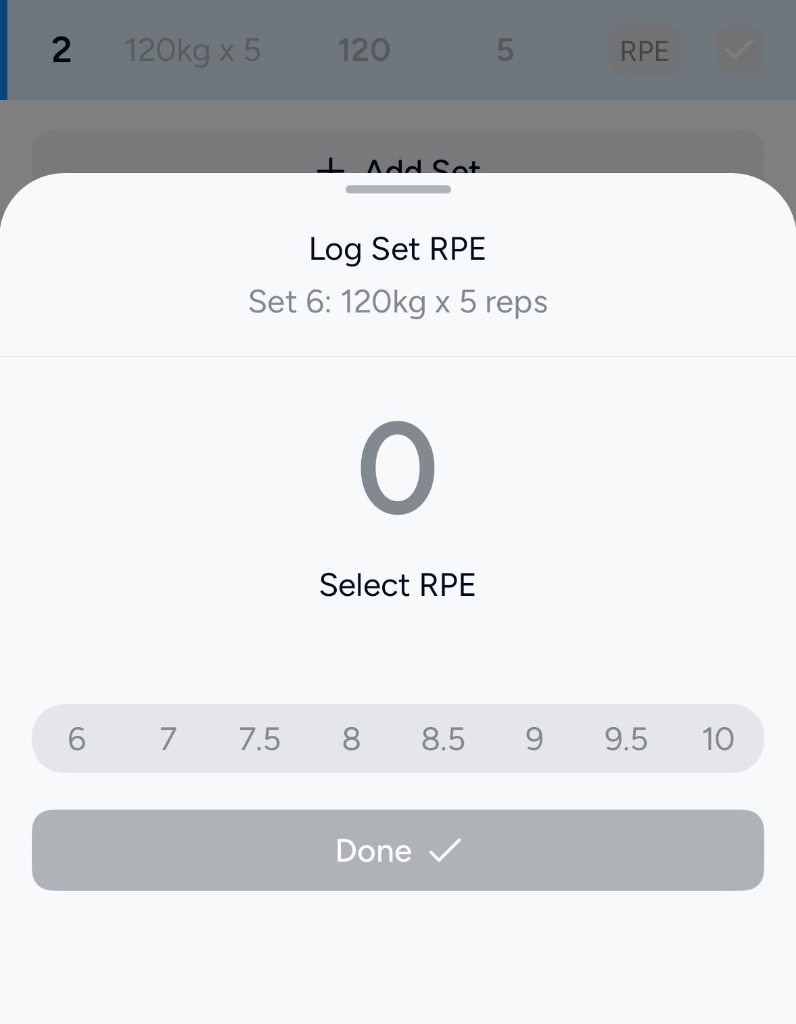
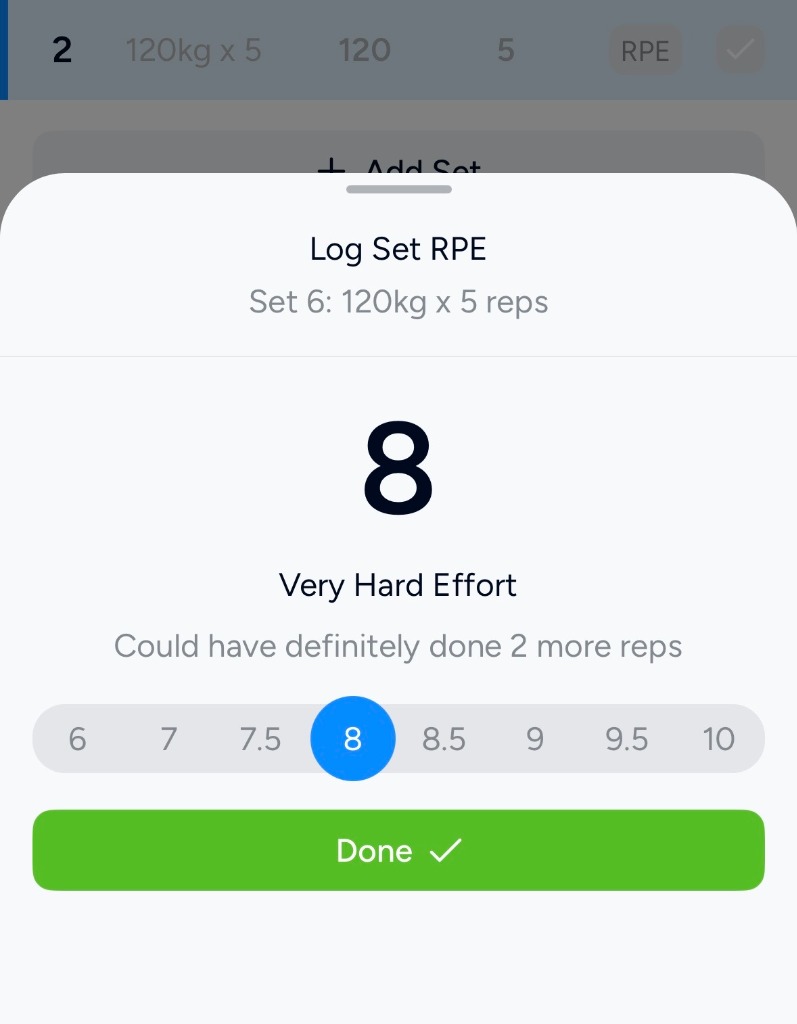
Despite RIR growing rapidly in popularity and being requested multiple times by the community, Hevy has decided to not add RIR tracking regardless. However, the simplest way to do RIR tracking in Hevy is just to inverse the only effort tracking it does have: RPE.
Even though RPE (Rate of Perceived Exertion) is fundamentally a different metric than RIR, it is the only effort metric Hevy supports and since it’s a similar scale it can be adapted for RIR. Since RPE is a scale from 1-10 (1 being the least effort, 10 being max), you can simply invert it for RIR, and just ignore partial numbers (like 8.5), since they conflict with the RIR ideology. Say you had 2 reps in reserve, that’d simply be rpe 8, since 10 - 8 = 2.
A Better Alternative
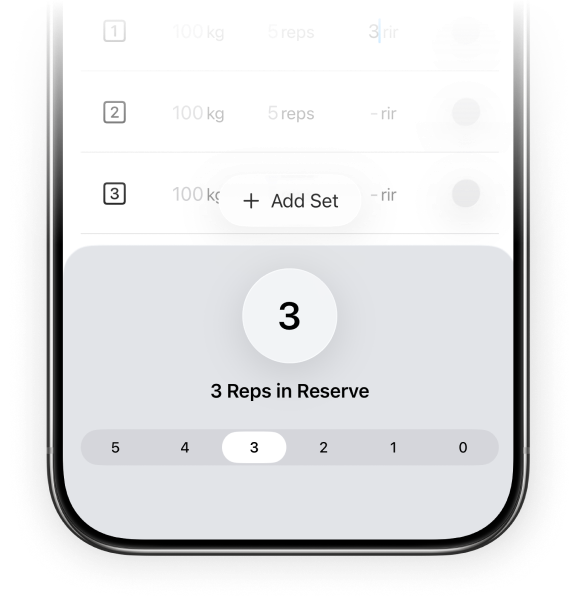
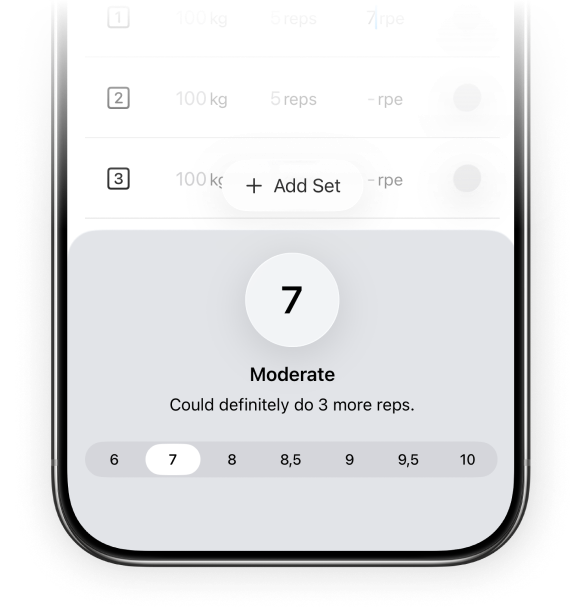
If you’re reading this, you’re probably not that happy about Hevy not natively supporting RIR. We completely understand it. That’s why we built Plates. Plates natively supports both RPE and RIR tracking with a simple toggle in the settings. We’ve even built custom keyboards to make tracking your effort as effortless as it can be.
Ready to try Plates?
Smart plate math, custom equipment, and fast iPhone logging—without a monthly subscription.

$19.99 one-time purchase (US) after 7-day trial