Plates vs Hevy vs Strong: Barbell Plate Calculator Comparison
Plates, Hevy, and Strong are all popular weightlifting apps. In this blog post we want to compare their built-in ability to calculate what plates to load on your plate-loaded equipment.
Strong
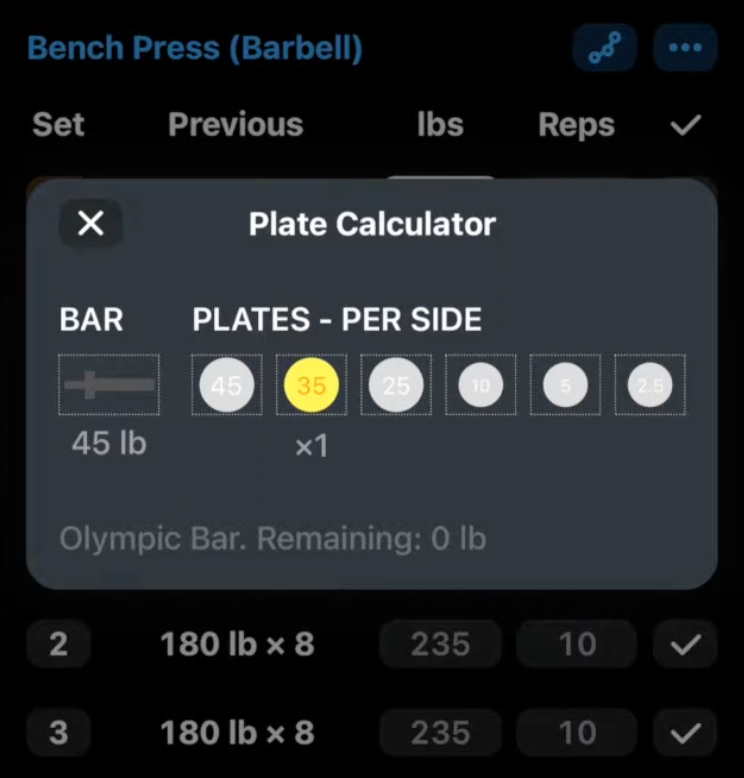
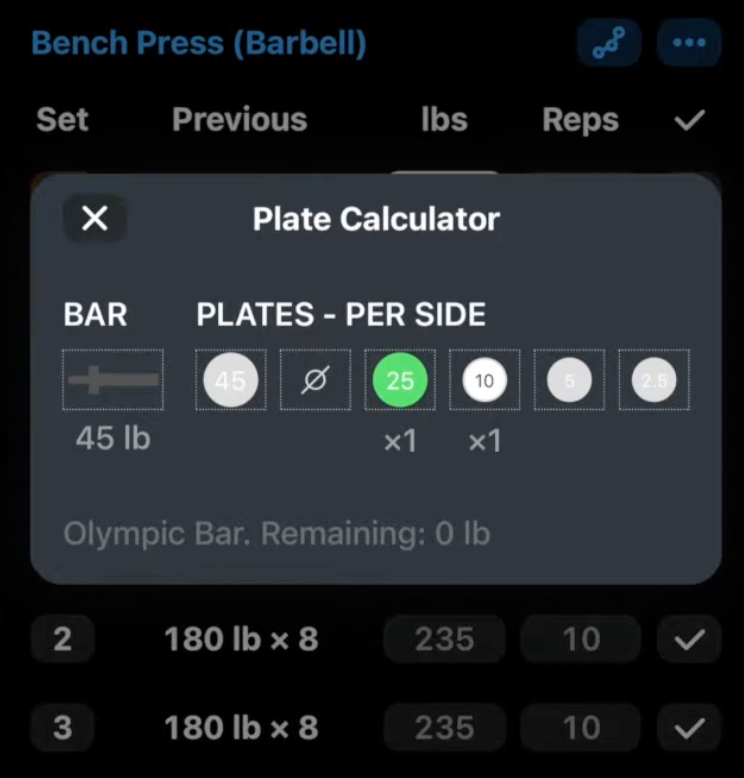
While Strong has been around the longest, its barbell plate calculator is rather rudimentary.
It opens as a pop-up once selected and displays the configuration for you. If some plates are not available, you can simply tap on them to exclude them. However, it is not possible to tell the Strong app that you have a limited supply. It thinks in binary: either you have none, or you have an infinite amount. This is something we unfortunately see often with built-in plate calculators.
While it allows you to switch between different barbells (Men’s 20kg/45lb or Women’s 15kg/35lb), it is not possible to create custom equipment, e.g for a hack squat machine or an EZ bar.
Hevy
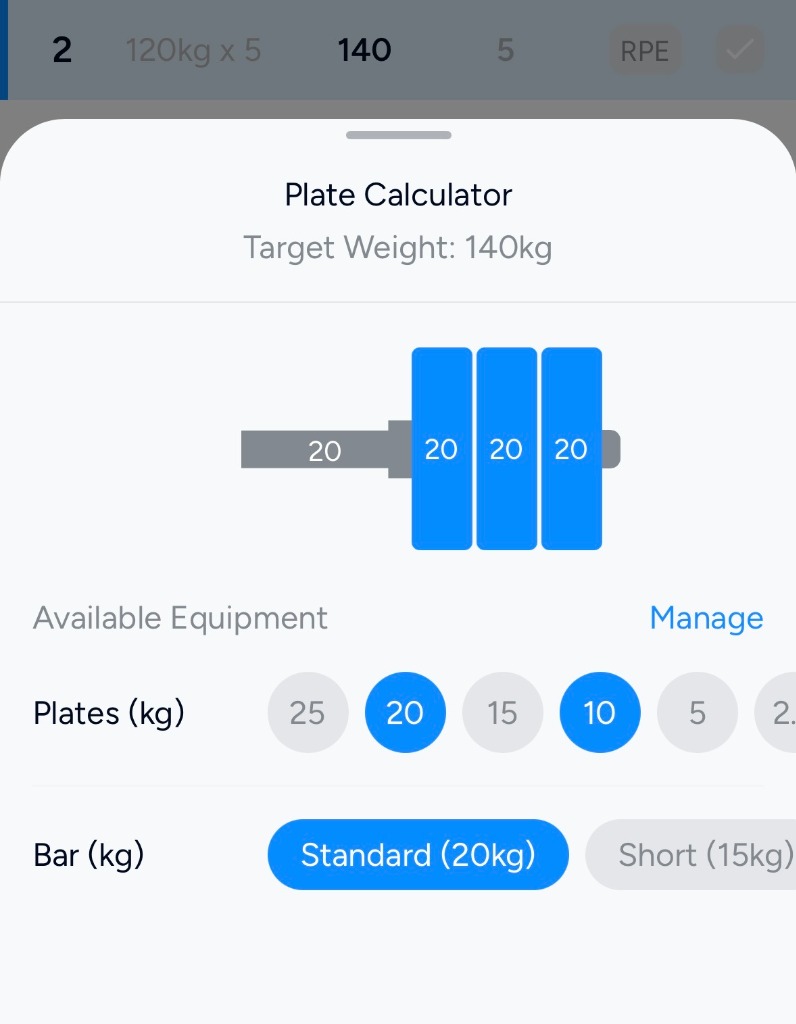
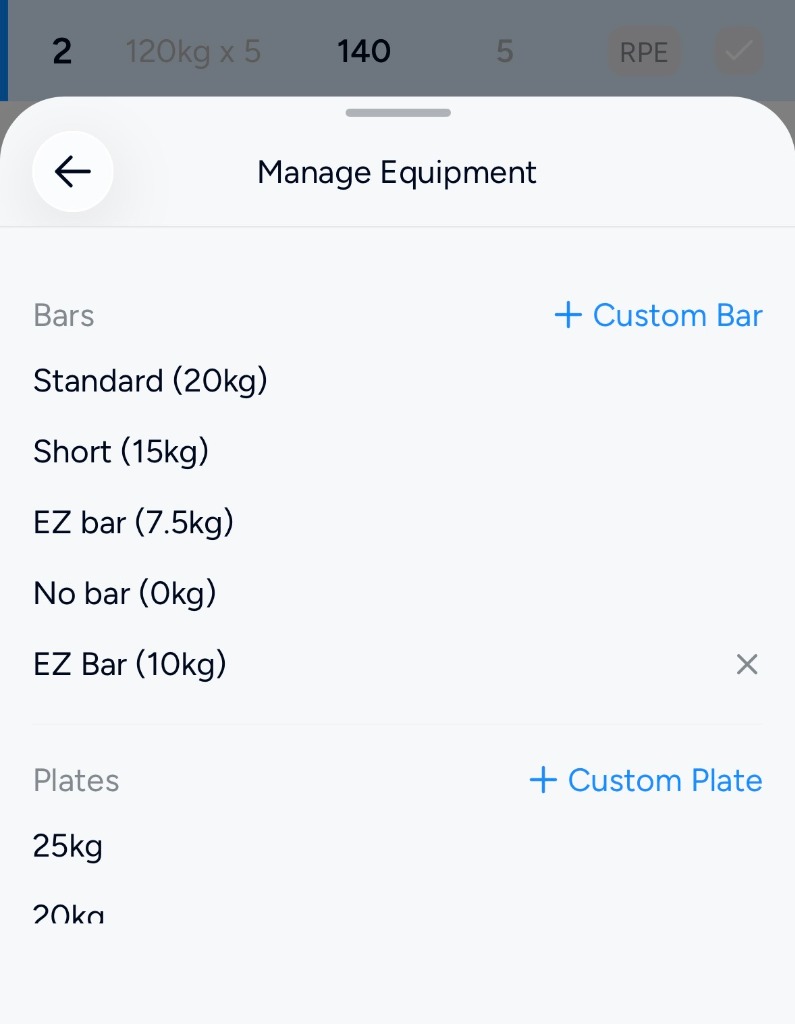
Hevy is a clear step up in comparison to Strong. The interface is much cleaner, and you have the ability to create custom equipment. Yet it still suffers from the same fundamental problem: you cannot limit your inventory.
For example, I was setting up for a 140kg squat, but I only had 4x 20kg plates available (though I had plenty of 10kg plates to supplement). Hevy does not care. My only options were to either:
- Load 3x 20kg plates on each side (6 total, 2 more than I owned).
- Disable 20kg plates entirely and load 6x 10kg plates on each side (12 total).
Plates
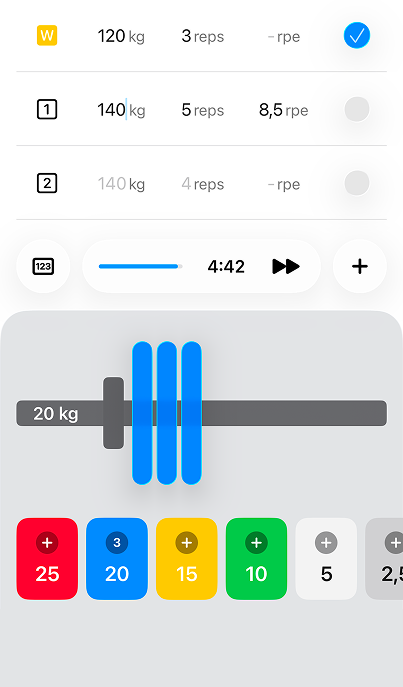
Plates takes a different approach than both Strong and Hevy. As opposed to having a plate calculator that pops open as a modal, it instead features a plate keyboard.
It’s very similar to the native iPhone keyboard, but instead of tapping numbers, you’re tapping Olympic-colored weightlifting plates. As you tap the plates, you can see the weight change in real time.
It also addresses the major flaws of traditional calculators:
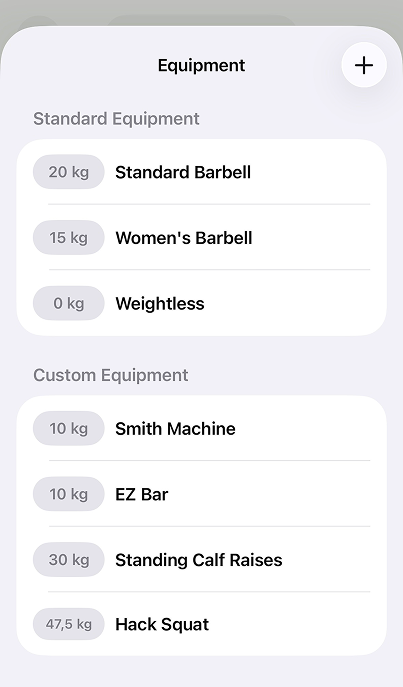
- Custom Equipment: You can create any kind of custom equipment to change the base weight, so you can easily adjust it for a hack squat, Smith machine, or any other piece of equipment.
- Smart Plate Suggestions: You may be thinking you’re left doing all the plate math yourself, that it just calculates what the plates add up to, but that is not the case. If you input weight using the regular numpad and then switch to the plate keyboard, the Plates app will automatically suggest the optimal way to load the exercise.
In our opinion, this is single-handedly the best way to do plate math in the gym. You can learn more about it here.
Ready to try Plates?
Smart plate math, custom equipment, and fast iPhone logging—without a monthly subscription.

$19.99 one-time purchase (US) after 7-day trial